
Satisfaction guaranteed

Who's online
Get backups for Joomla that 'just work'

Why backup?
Hack attacks, server failures and data loss can mean disaster for your organisation. Avoid all the stress with automatic backups!
I created DataSafe Pro because I wanted automated backups for my Joomla system that 'just work'.
DataSafe Pro creates backups of your Joomla database as often as you like. With the optional subscription, you can set it to run every hour, day, week - just set it and forget it.
Easy to use
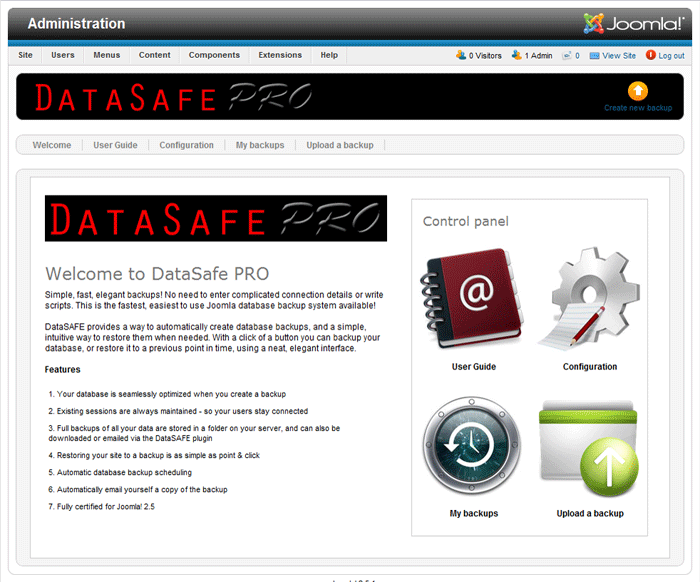
It's so easy to use - you install it and that's it - you're done! The first backup is created on install (you don't even need to enter any connection details).
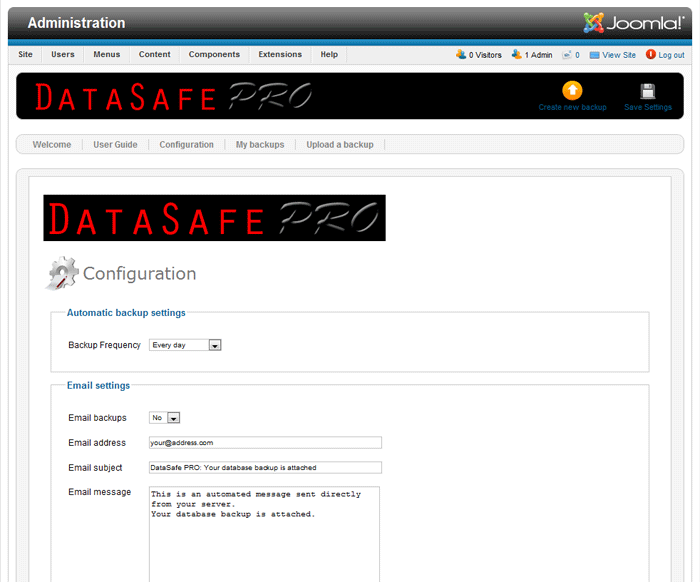
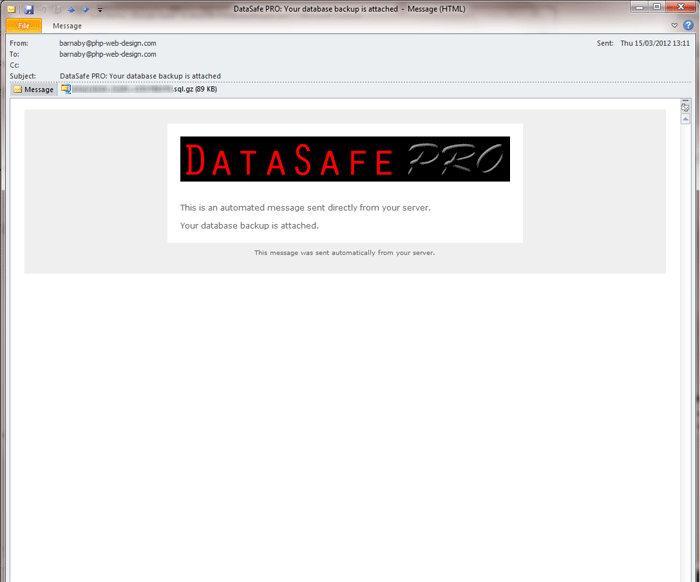
After install you can choose whether to email yourself copies of backups, set the frequency schedule, and if you'd like to, set the database to automatically optimize and repair itself whenever it runs, just to keep it running at perfect efficiency.
Total peace of mind
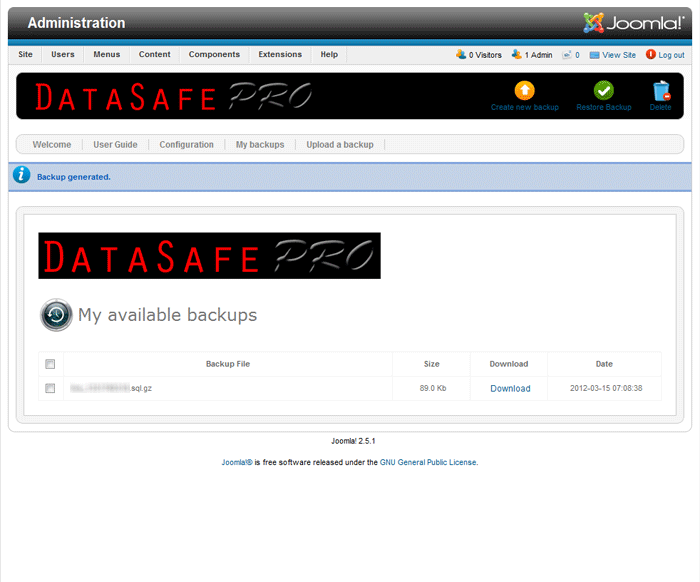
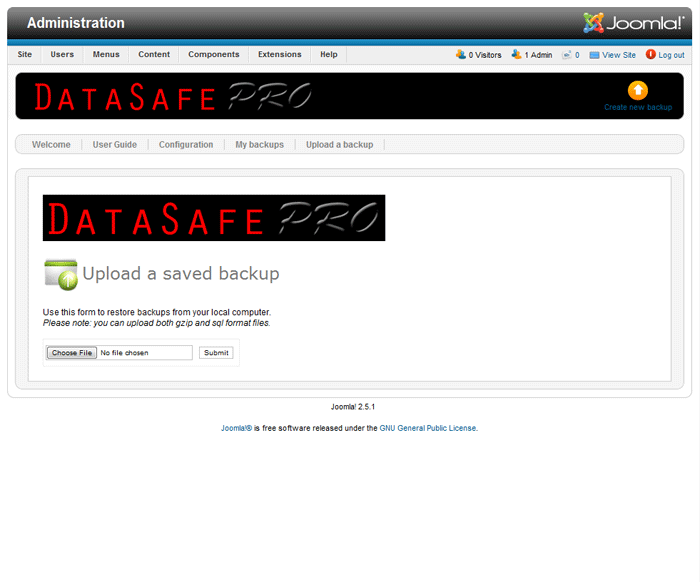
If you ever need to restore your Joomla database to an earlier time you can either select from one of the backups stored online, or upload a backup stored on your local computer.
This upload feature also makes cloning your Joomla system very very easy (it takes about 4 clicks in total... install component, download the automatic backup, install component on your clone system, upload your saved backup, finished). Please note that you will also need to copy your Joomla files to your new system using FTP.
Certified for 


Free version
- Joomla! database backups
- Database optimization
- Database maintenance
- GPL v3 License
- Does not include support
FREE DOWNLOAD

Screenshots

Your comments

Hi Barnaby
Is there a version for Joomla 4?
Hi Rolf,
Tim Davis helping out on support.
There is no J4 version of Datasafe pro at this time and we don't have a timeline for their being one.
Tim
Good morning, sir,
I am obliged to give access to the administration for visiting users.
I have created a group especially for them and I have forbidden the use of everything in the administration except the component that is intended for them.
The problem is that your component always appears and it is not possible to let visitors manipulate it.
So I have no other solution than to remove it unless a patch is made at least so that only super users can use it.
Apparently I'm not the only one talking about this option. I would be sorry to have to abandon your component.
Full courage with everything and thank you in advance for your response.
Sincerely,
Hi Justun,
The extension is simple, and it doesn't come with additional admin user permission levels. Sorry about that
Barnaby
Ok, installed DataSafe-Pro on our 3.7 system (doing a migration if you can't tell) and when I enabled the component, it broke the new install, can't get to the default landing page or admin. Only get this error;
1146 Table 'site_asdf.#__datasafe_pro' doesn't exist
I tried to create the table using the contents of the install.sql and it created without error in the right database, and root has the permissions but the error remains.
Any ideas?
Installed it again and it worked without issue. Man this is good stuff. Going on to the Migrate Me....
Hi Jay,
Thank you for your messages... glad you were able to resolve all issues so easily! Let me know if you hit any issues with MigrateMe, or if I can help further in any way
All the best, Barnaby Dixon
Same error did you find a fix for this?
The issue is down to a problem during install.
Quickest solution: rename (using FTP) the folder /plugins/system/datasafepro/ to datasafe_disabled to disable the plugin
You can then reinstall the full package, including plugin and component, and this should create the data tables as expected. If the error persists, it'll be down to an issue in your Joomla installer, or in your database user permissions.
Error: Unable to find install package
I downloaded the 1.5.x version, unzipped it using the Windows 10 extract function, and the com and plugin will not install via the site extension manager function.
Warning: ftp_set_option() expects parameter 1 to be resource, null given in mysite/html/Book/libraries/joomla/client/ftp.php on line 276
I have tried to fix this problem by editing the ftp.php file. with no apparent results.
The problem likely resides between my keyboard and my chair. I could use some help with this and appreciate in advance anything you can recommend.
Thanks Frank
Hi Frank
Thank you for getting in touch.
My guess is that in Administrator > Global Configuration , you'll find that FTP is turned On. If you turn it off, and save the configuration it should fix this problem.
Please let me know how you get on
All the best, Barnaby Dixon
How can i restore joomladb_after.sql file created with phpmyadmin?
Hello
If you created a database backup with PHPMyAdmin, please use PHPMyAdmin > Import to then restore it.
All the best, Barnaby Dixon
what is wrong? only 20b .sql.gz
Hi Anton,
Probably the system isn't using gzip correctly. Please open the configuration and change GZip to off. It should then correctly create backups, but they'll be uncompressed. You should then ask your server admins to check that gzip is enabled and working correctly.
All the best, Barnaby Dixon
Bingo!
Hello Barnaby,
I have a request: Since this component is extremely powerful and can potentially destroy a website, I would like to limit access in the backend. Not all users with access to the backend should be able to use this component. However, I can't find any options to limit access to certain user groups. I would very much appreciate a possibility to configure access rights to this module.
Cheers
Arno
Hello Arno,
Thank you for your great idea. This is not currently possible in DataSafe, but I will add the option when I have a chance
All the best, Barnaby Dixon
Barnaby,
Purchased Datasafe Pro, trying to install on 1.5.26 but coming up with message "Error! Could not find a Joomla! XML setup file in the package."
Tried another method, unzip package and load individual package, but still no go.
Please help with proper install procedures.
Thank you.
Hi there Wayne,
Thank you for getting in touch. This is a message you might get if your package is the one for Joomla 2.5+, or if your package needs to be extracted before installation.
Please re-download the package, and ensure you have selected the one for Joomla 1.5. Once it's downloaded, you will need to first extract the component and plugin separately on your computer, before installing them. You should have two files, com_datasafepro.zip and plg_datasafepro.zip
You can install these as normal.
I hope that helps... if you hit any further issues please let me know!
All the best, Barnaby Dixon
I installed on my Joomla! version 2.5.28. It doesnt save configuration file, when I click make backup now, it is done at that moment and none backup is saved in backup list. so i think that your component doesnt have some write permission or something like that because when it doesnt remember even saved configuration, something must be broken
Hi there,
Thank you for getting in touch.
Please go to Administrator > Global Configuration > System and change Cache to Off, and save the setting.
Then, create a backup with DataSafe Pro. After you have created the first backup, you can safely re-enable the cache, and your settings will continue to save correctly.
All the best, Barnaby Dixon
Hi, does this have the option to change sql prefix?
Hi there,
DataSafe will automatically detect and use your Joomla prefix. The only way to change this would be to do so in the Joomla configuration.php file, and ensure the prefix is also changed in the database.
All the best, Barnaby Dixon
I did installed it an a joomla 1.5 and tried make a backup, but after clicking "create new backup" it gets stucked in a white page, maybe due to a big database. I tried export it from phpmyadmin and it's 9mb gzip, but no way to make a backup from the component.
Hi Andrew,
Thank you for getting in touch. I think that you have hit a timeout on your server. Please check that the server has enough time to complete the backup, and it should work correctly.
You can usually increase your PHP timeout in your php.ini file - change the max_execution_time value to, for example, 300. Alternatively, you can contact your server admins and ask them to do this for you.
All the best, Barnaby Dixon
actually the max_execution_time is set to 600, maybe it's not enough? the website has more than 4000 articles, what's the correct value for max_execution_time for a huge database?
Hi Andrew,
The backup time depends on many factors, including how fast your server runs, and how much memory is available. Most backups complete within a few seconds - but if your server is very slow, it might take much longer than this. I can't tell you exactly how long it might take, but you could try increasing your timeout further to see if that helps.
Generally though, I would recommend that if the backup takes longer than 30 seconds you use PHPMyAdmin to run the backups, since this would likely be faster with a huge database.
All the best, Barnaby Dixon
I wanted to upgrade with migrate me, but this requires a backup of my 1.5 site made with datasafe pro.
However the free datasafe pro does not want to install on 1.5 with the message
Error! Could not find an XML setup file in the package.
sorry, unzip first, solved
Hi
Now, after solving the first issue, I just realize that when I successfully upload the backup (as a zip-file), the content is not restored. The site remains the same though I have backuped a previous state of the site (i.e. with different older images). This older version is not restored. But I get no error message at all.
What might be the problem there? I dont think it is cache problem, but I might be wrong. I have all the compatibility checks green.
Thanks for your help
Frank
Hi Frank,
The file should be left as a gzip or as a sql file, depending on your DataSafe configuration. Unfortunately, a zip file won't be correctly recognised or opened.
Hi
I can make a backup but when I try to restore it, I get an internal error (500) and the backup already saved disappears from the list. When I first download it locally to upload it again, the same error message (internal server error) is there.
What is the problem and how could I possibly solve it?
Thanks for your help
Frank
-->Solved: I have to download and use WinZip and then upload again.
Hi Frank,
Thanks for your email.
It sounds like the server is hitting a timeout. Please increase your max_execution_time limit in your PHP configuration, and the backups should create/restore as expected.
All the best, Barnaby Dixon
Hi,
I might be being daft, but I can't seem to find the permissions. Is there any way of giving access to other User Groups other than SuperUsers?
Many thanks,
Dave.
Hi there Dave,
Unless you've changed something in your permissions, anyone who has access to the administrator area will be able to access DataSafe Pro (not just Super Users). There are no restrictions set to DataSafe Pro by default.
All the best, Barnaby Dixon
I absolutely love this product! I've used it on 2 websites along with migrate me to move a 1.5 to a 2.5. It has worked beautifully.
I do have one questions though... the third site I am trying to back up is coming up with an error. After I run dataPRO, the backup has a size of 0kb and if I try to download it, i get a 404 - File or directory not found error. Going into the back of my site through ftp, there are no back up files there. Any idea what I'm doing wrong?
Thank you!
Hi Jessica
Please just check that the system can write to the backup folder - you might need to temporarily change the CHMOD permissions to 0755 or even 0777.
The other possibility is that if you have a very large database, the system is timing out before it can complete the backup, and the script is crashing. If this is the case, please increase your PHP memory limit to say 256M, and the PHP timeout to say 300.
All the best, Barnaby Dixon
Great Extension, I´m glad I found your Site.
THANXALOT
Hello,
is there any possibility to use this application to move a website from one server to another? Thanks a lot,
sincerely,
Michincou
Hi there Mich
You'll need to create a backup in the first system using DataSafe Pro, and then install DataSafe Pro on the second system, upload your data and you've got it.
However, you will need to manually copy over your images folder, and any other files that you need on the second system, since DataSafe Pro works with data only, not the files and folders.
All the best
Barnaby Dixon
Advice: use Akeeba!
I currently have the web in an environment with php 5.3 and I need to retrieve the copy in an environment with php 5.2
Will it work?
Tx
Hi there
Yes the copy will work correctly, even if it is from a system running PHP 5.2. You will need 5.3 or later to run Joomla 2.5 or 3.
All the best,
Barnaby Dixon
I bought the Pro Version and i get the message:
SQL=SHOW TABLES FROM `ea-entertainment`.`at` LIKE 'ea_%'
the database has the Name "ea-entertainment.at"
the backups doesnt work :-(
Thank you
Why does Data Safe Pro break the backups into two pieces? Each piece is about 300kb, is there a way to just have one piece (file) per backup?
Hi there,
I am not sure what you mean - the DataSafe Pro backups are entirely contained within a single file. There is no functionality built in to split up the backup into multiple files.
Sincerely,
Barnaby Dixon
Hi
I just bought this. Yes its simple to use and looks great. I assume it backs up all the contents (articles, images, videos) etc.
However, does it backup extensions, like K2 and what about Templates as well?
Otherwise I would have to restore it to a site, once I have loaded joomla with the templates and extensions. I may not remember all the extensions as well.
Also when I create the new database on the new server where I am restoring it, does it have to have identical name, username and password?
Regards
Hi Yamin,
Thank you for your email. DataSafe Pro creates a backup of your database only - not your files, so you will need to recreate your original environment. The easiest way might be to copy your original files directly to your new site via FTP.
If you restore the database to a different site, you won't need to set up an identical MySql username or password, since the information is taken from your Joomla configuration.
All the best,
Barnaby Dixon
Hello There,
How about restoring to another server ( that has different IP address) , will this work smoothly as well?
Thanks,
Hi Yulius,
No problem. Just create the backup in your original Joomla system, and use the 'Import backup' functionality to import the backup to your new system. The only thing to watch for is that the database prefix (defined in the global configuration settings) is the same on both systems once the new backup is imported. You can change it in configuration.php
All the best,
Barnby Dixon
Hi Barnaby,
I just purchased the extension and have the receipt from PayPal but so far nothing has arrived for my download. Can you advise please?
Thank you.
Hi Jamie,
Thank you for your purchase. Usually PayPal should redirect you automatically to download the extension but I'm afraid sometimes it doesn't do so. I'm emailing you separately with download instructions.
All the best,
Barnaby Dixon
fantastic
tnxs for the product
How many sites can this bee installed on for the price?
Hi there Aaron,
You can install this on all your Joomla sites for the same price.
All the best,
Barnaby Dixon
PHP Web Design
dear sir,
the datasafe pro email backup is text.
How can i get te qz attachement ?
with kind regarrds,
Niek Bout,
netherlans,hoogeveen
Hi there
Please ensure you have disabled any other backup plugins on your system,since they sometimes interfere with DataSafe
All the best
Barnaby Dixon
سلام
تیم جوملا ÙÂارسی Ú©Ù‡ Ú¯ÙÂتنالانرایگانثبت نام میکنه!
اما الانمیگه پولیه!
Have been using DataSafe for a long time. Works great! One, suggestion. Add the ability to keep only a specified number of backups (e.g., the last 10) and have older backups automatically deleted and de-referenced when deleted.
Hi there Ron,
Great idea - I've built that suggestion into the latest release of DataSafe Pro (version 1.1.0).
Thanks!
All the best - Barnaby
I Am Using The Pro Version And I Must Say That This Component Is A Life Saving Component.
Just Install And Enjoy This Beautiful Component.
It Will Help To Restore The Whole Site Within Few Clicks.
Really Appreciate The Work Done For This Great Component.
This Component Is A Must Use Component For News and Those Website With Daily Updates.
Regular Backup With Email Support Makes This Component A Life Saving Component.
Thanks For The Efforts.
سلام
بد نیست ممنوÙâ€
Great extension,
Thanks for the special offer
áÿðÑÂøñþ ÷ð ÑÂÿõц.ÿрõôûþöõýøõ! Þчõýь ÿþûõ÷ýþõ рðÑÂшøрõýøõ!
10x a big!
Have just downloaded and installed DataSafe Pro - thanks for the special offer!!
This is an extremely easy product to use. Created a backup in an instant with a one button click. Couldn't be simpler.
Config is kept to the essentials so again, very easy to use even for beginners. Option to email backups automatically rather than having to go into admin and download is very welcome, as is the option to choose how often to backup.
All in all this is an excellent 5-star extension.
Thanks again and keep up the great work.
David
Hi Mr Developer!
Thank you very much for this database backup component and plugin. Just installed it on my Joomla site and it works like a treat!
I am extremely happy with this.
Thanks very much!
Brilliant, runs on a schedule, emails you the backup, very easy to restore if needed. Can't fault it.
Fantastic, it does everything I need, easy as anything to make a restore point and restore the whole site to yesterday or last week. No problems at all, easy 5 stars.